Patients book by text. Nobody opens WhatsApp.
An AI receptionist that checks real availability, holds the slot, confirms, and reminds. Built for Romanian dental clinics.
How a booking actually happens
A real exchange, in the Romanian the system sends. The patient is writing to the number the clinic already publishes. Nobody at the practice is typing.
Rescheduling, cancelling and joining the waiting list work the same way, in the same thread.
- 09:14Pacient
Bună ziua! Aș vrea o programare pentru un control, săptămâna viitoare dacă se poate.
A patient writes to the number already on your door and your website. Nothing to install, no portal, no password.
- 09:14Cabinet
Bună ziua! Sigur. Pentru control avem liber marți 12 la 10:30, marți 12 la 15:00 sau joi 14 la 09:00. Care vă convine?
The request is read for intent, then checked against the real calendar: the hours that practitioner works, the length of the service, the buffers either side, and how much notice you require. Only genuinely bookable times are offered.
- 09:16Pacient
Joi la 9 ar fi perfect.
The answer comes back in ordinary words. There is no menu to work through and nothing to press.
- 09:16Cabinet
V-am reținut joi, 14 august, ora 09:00, control cu dr. Elena Marinescu. Confirmați programarea?
The chosen time is held for five minutes, so it cannot be taken by someone else while the patient is still reading.
- 09:17Pacient
Da, confirm.
One word settles it. The appointment is on your calendar before the patient puts the phone down.
- 09:17Cabinet
Gata, sunteți programat. Vă trimitem o reamintire cu o zi înainte și în dimineața respectivă. O zi bună!
All of that happened without anyone at the clinic opening WhatsApp.
- 09:00 a doua ziCabinet
Vă reamintim: mâine, 14 august, ora 09:00, control cu dr. Elena Marinescu. Dacă nu puteți ajunge, răspundeți la acest mesaj.
Reminders go out on their own, the day before and again that morning. A patient who replies here reaches the clinic, not a robot menu.
A cancelled slot refills itself
A cancellation is normally a hole in the day that somebody has to spot, then work down a list to fill. Here it is closed before anyone notices it opened.
-
Cancelled
A patient drops tomorrow morning. The time is free again.
-
Matched
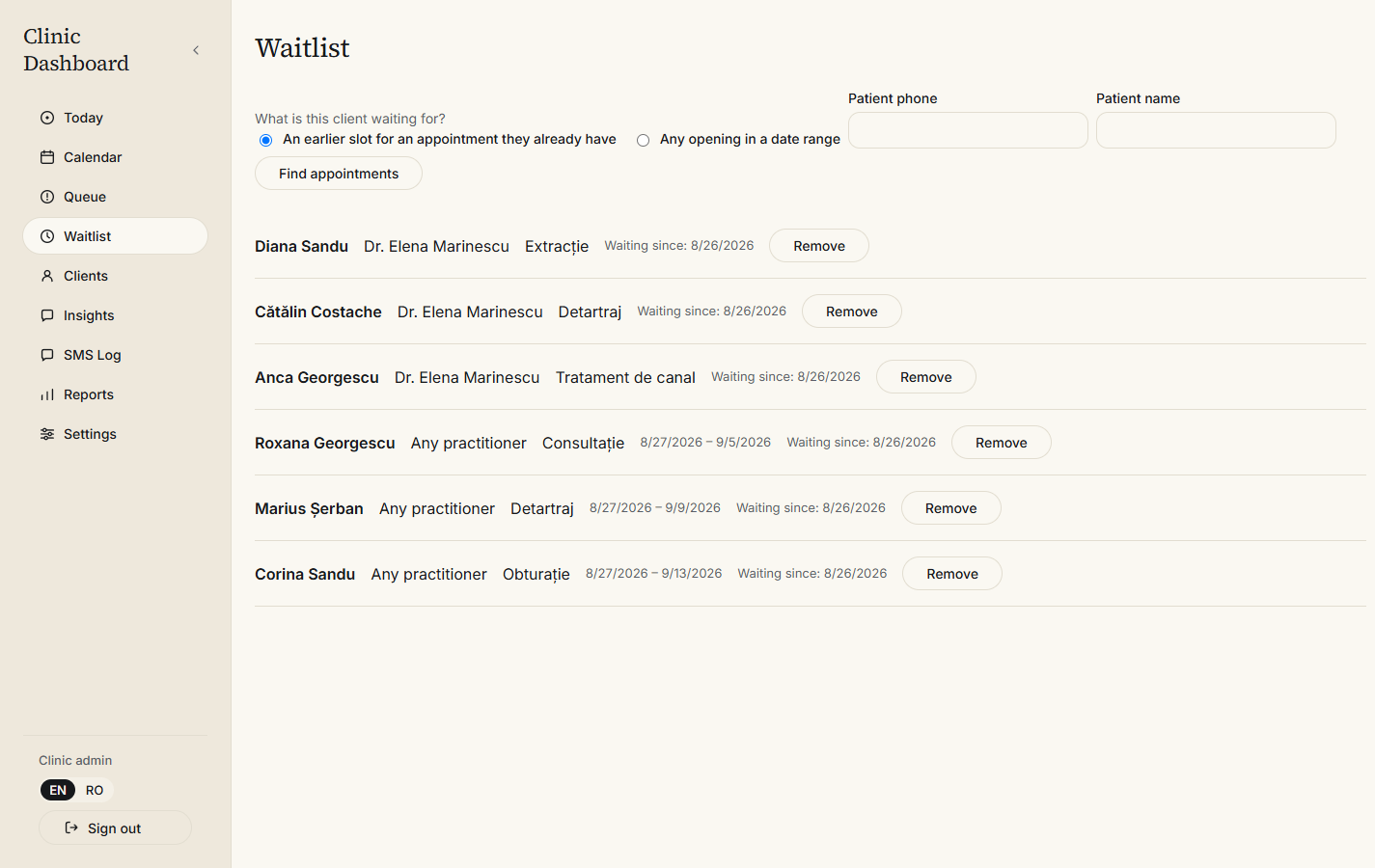
The waiting list is read for whoever has waited longest for a time like this one.
-
Offered
They get a text offering it, with thirty minutes to answer.
-
Passed on
No reply, or a no, and it moves down the list on its own.
-
Refilled
One word takes it. The chair is booked again.
Nobody at the clinic did anything.
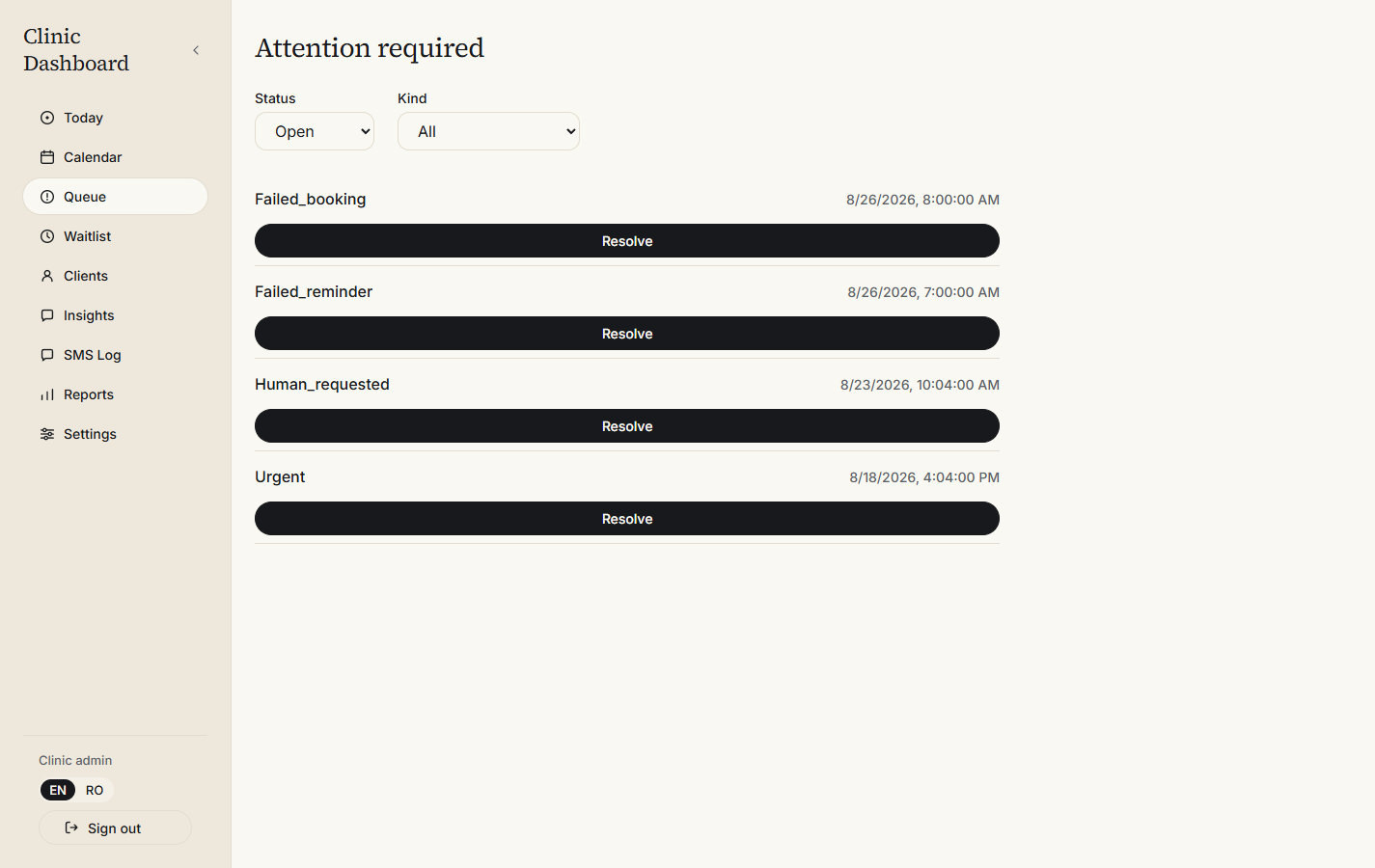
Most days, this screen is empty
The queue holds only what could not be finished automatically: someone who sounds urgent, someone who asked for a person, a booking that failed, a reminder that did not send. Everything else has been dealt with by the time your staff sit down.
It is the only screen that asks anything of you, which is why it is the one that should stay empty.
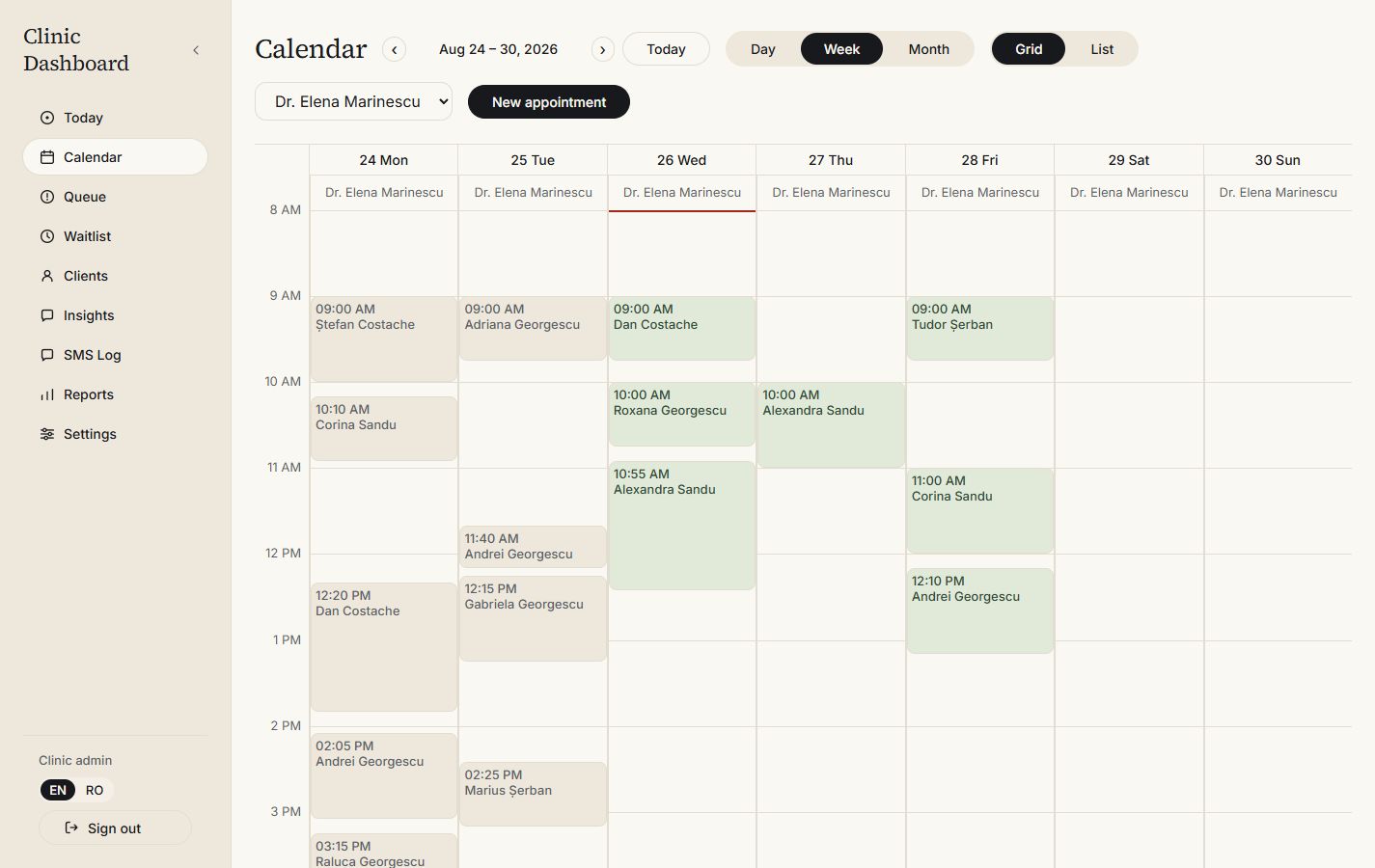
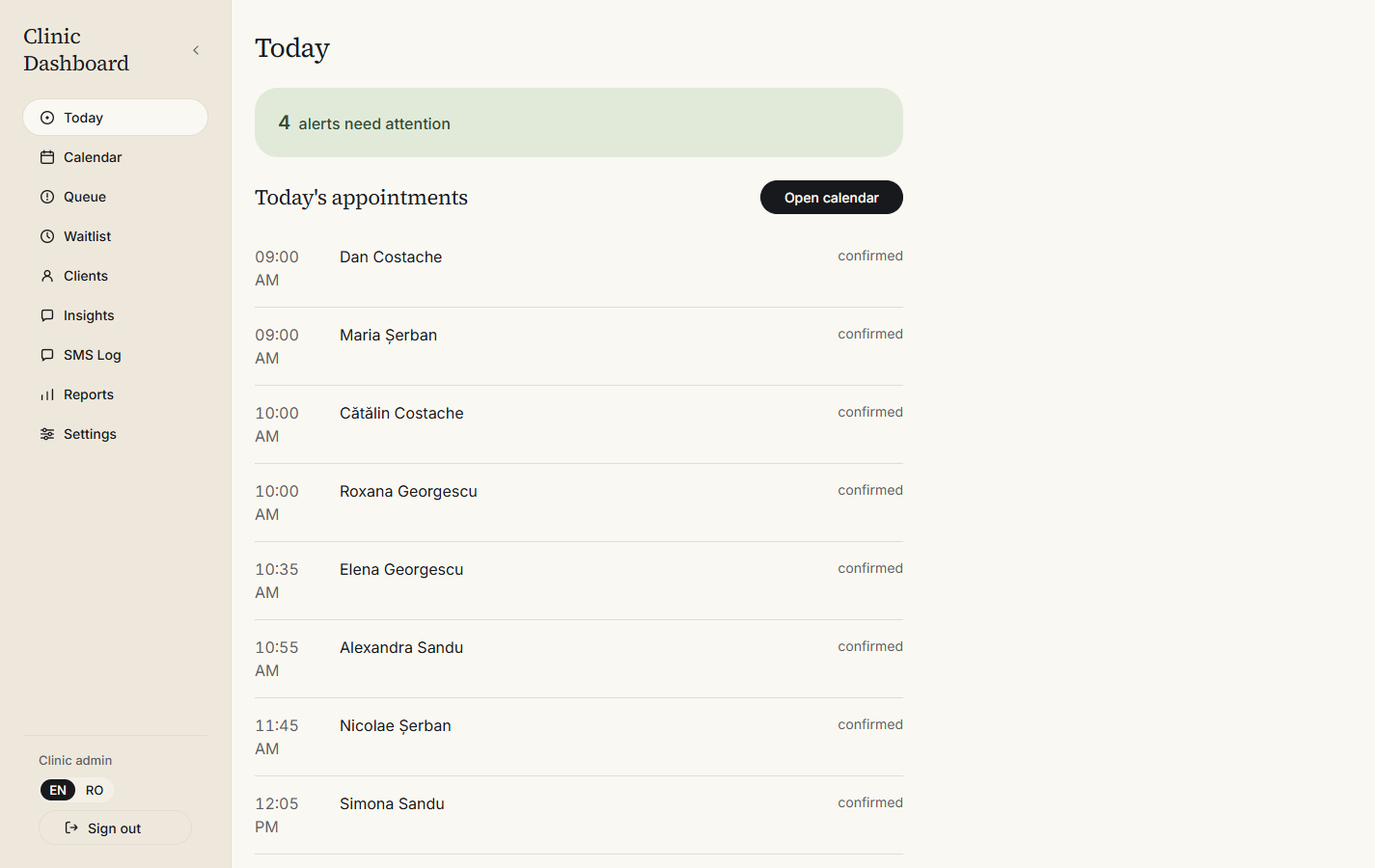
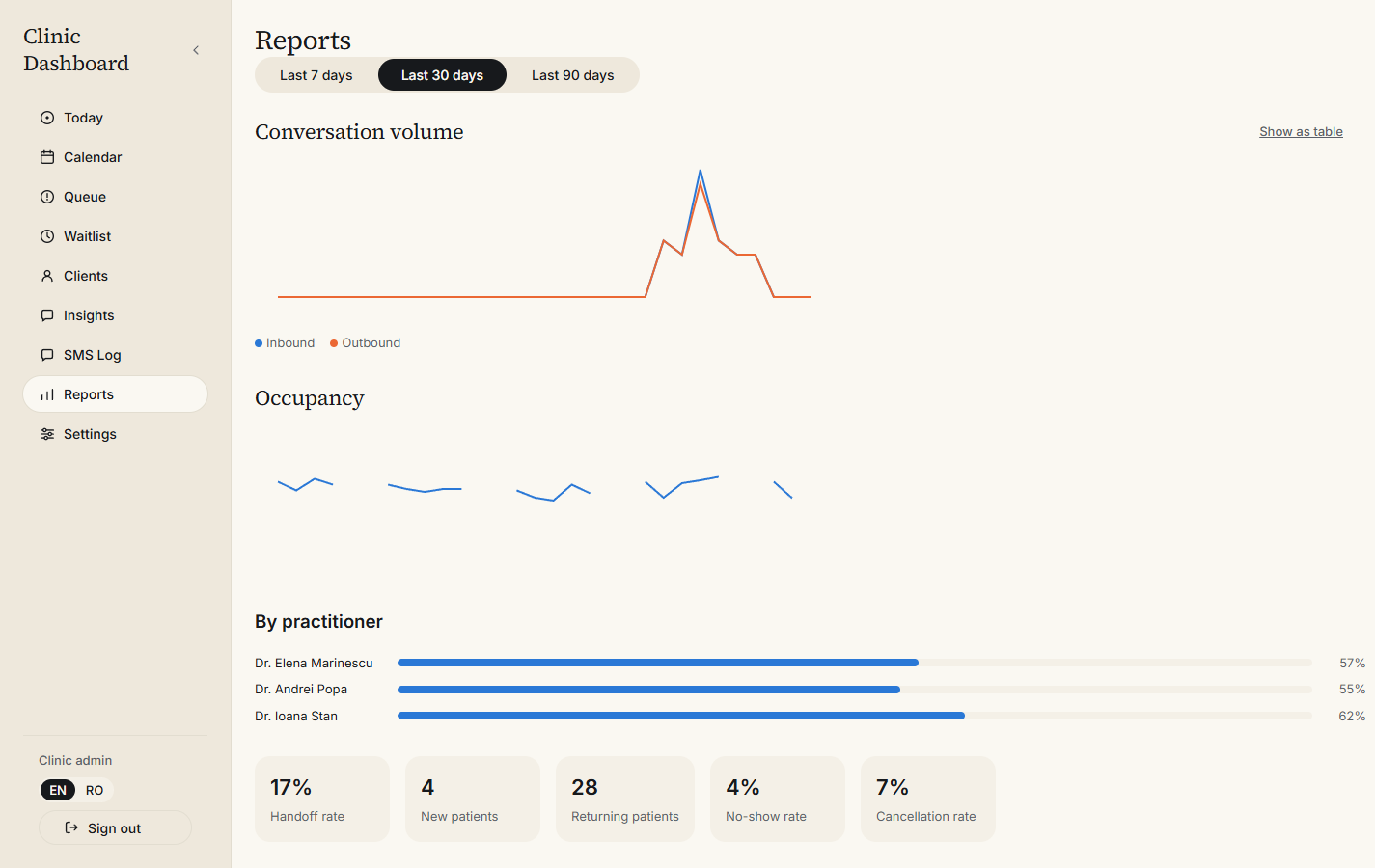
The whole practice, on one screen
Nobody has to cross-reference a chat app to know what is going on. The calendar, the waiting list, the patient records and the numbers all sit behind one login.
Built for the regulation, not around it
Your clinic is the data controller and this is a processor acting on your instructions. No diagnosis, treatment or clinical note is ever entered, so what is held is scheduling and contact data under Article 6, not health data under Article 9.
Separation
Each clinic is separated inside the database itself, by Postgres row-level security, rather than by application code that a bug could route around. A test that tries to read across clinics runs as a build gate and fails the build if it ever succeeds.
Patient rights
A full patient record exports on request, in one action. Erasure requires a written reason and records who carried it out. Patients not seen for a period you set are erased automatically, and message history is purged on the same basis.
Evidence
Every administrative access to clinic data is logged, attributed to a named person, and exportable. A Data Protection Impact Assessment is generated and kept versioned. A Data Processing Agreement is ready to sign before you start.
The questions dentists actually ask
Taken from real first calls. If yours is not here, ask it on the call and we will add it.
What if it books something it should not have?
Turn on approval mode and no booking made over WhatsApp becomes final until a person confirms it. The patient is told the time is provisional, you get a message, and one tap settles it. Clinics usually run with approval on for the first few weeks, then decide for themselves whether to leave it on.
Does this replace the software we already use?
No. It sits alongside it. Hecate handles the conversation, the availability check and the reminders; whatever you use for treatment records, imaging and invoicing keeps doing that. Nothing needs uninstalling.
Some of our patients do not use WhatsApp. What about them?
They carry on phoning, and your staff book them in the dashboard exactly as they would in any calendar. Hecate handles the ones who message. The two sit on the same calendar, so nothing gets double-booked.
Whose WhatsApp number is it?
Yours. It stays yours, and it stays connected to your clinic if you leave. We connect to the number you already publish rather than issuing a new one, because patients already have it saved.
Will it understand how people actually write?
It reads ordinary Romanian, including short messages, missing diacritics and typos. Where it is not confident, it asks a plain follow-up question, and where it still cannot tell, it hands the conversation to your staff instead of guessing. A wrong booking costs you more than a handoff does, and it is built to prefer the handoff.
What happens to our data if we stop?
You export everything first, in one action, and then we erase it. Your patient records are yours. There is no lock-in clause and no hostage period.
How long until it is live?
Usually two to three weeks from the first call. Most of that is configuring your practitioners, services, durations and buffers correctly, and rehearsing against your real calendar. The connection itself takes an afternoon.
What happens after you ask
There is no signup form and no free tier. Clinics are set up one at a time, by us, because getting your hours and buffers right is the difference between sensible bookings and nonsense.
Talk
Half an hour on a call. We look at how the front desk runs now and whether this is a fit. Sometimes it is not.
Connect
Your existing WhatsApp number is connected. Patients carry on writing to the number they already know.
Configure
Practitioners, services, durations, buffers, working hours and holidays go in. This is the part that decides whether the bookings come out sensible.
Rehearse
We book against your real calendar until the offers look right, before a single patient sees it.
Go live
Bookings start arriving. We stay close through the first weeks and tune the wording with you.
See it running against your own calendar
Bring your real opening hours and a service list. Half an hour is enough to tell whether this belongs in your practice.
Request a demo